
Your client access their wealth anytime from their phone.
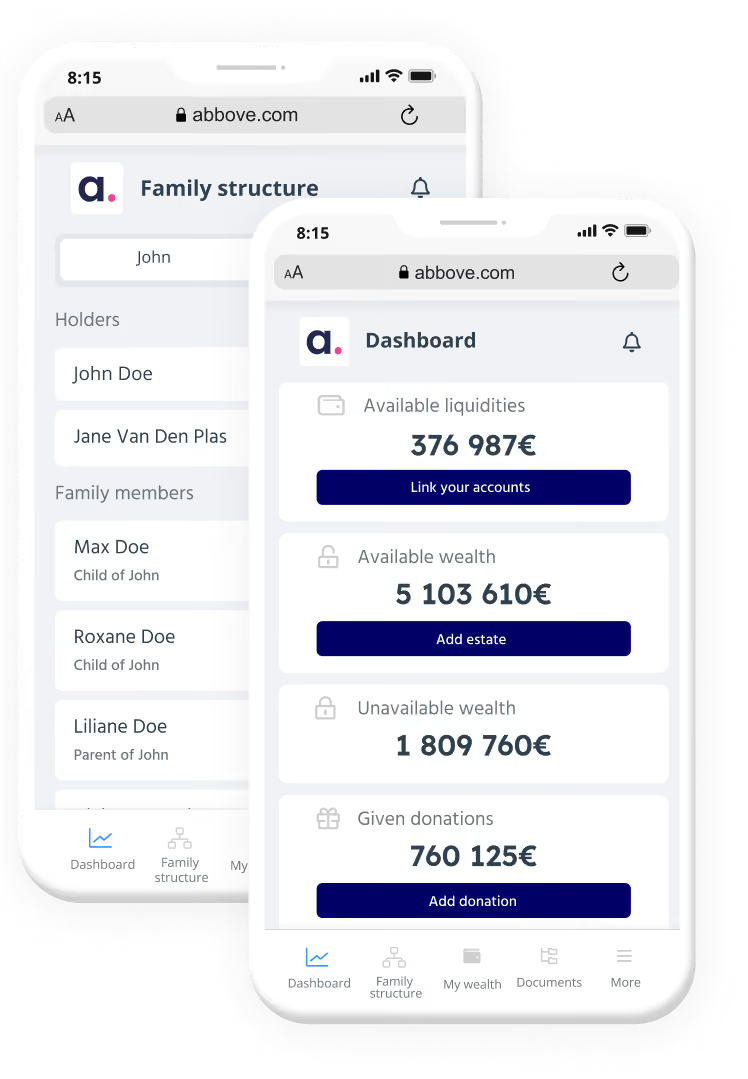
From overall wealth composition to family structure and documents, your clients can track their wealth in real time, complete their profiles, and keep their important files within reach.

Between meetings, your clients stay close to their wealth and close to you.
Engaged clients
Clients who check their wealth between meetings stay involved in their own planning. Mobile version is an extra opportunity for it.
Richer data
Clients enrich their own file with their data, so you start every conversation from a fuller, more accurate picture. It's sometimes easier to add an element on-the-go while thinking about it than to wait to connect at home.
Ongoing relationship
Watching their wealth evolve makes clients curious. They come to you with questions through the year instead of waiting for the annual review and trust builds with every exchange.
.avif)
360° view on their wealth.
Building the whole picture.
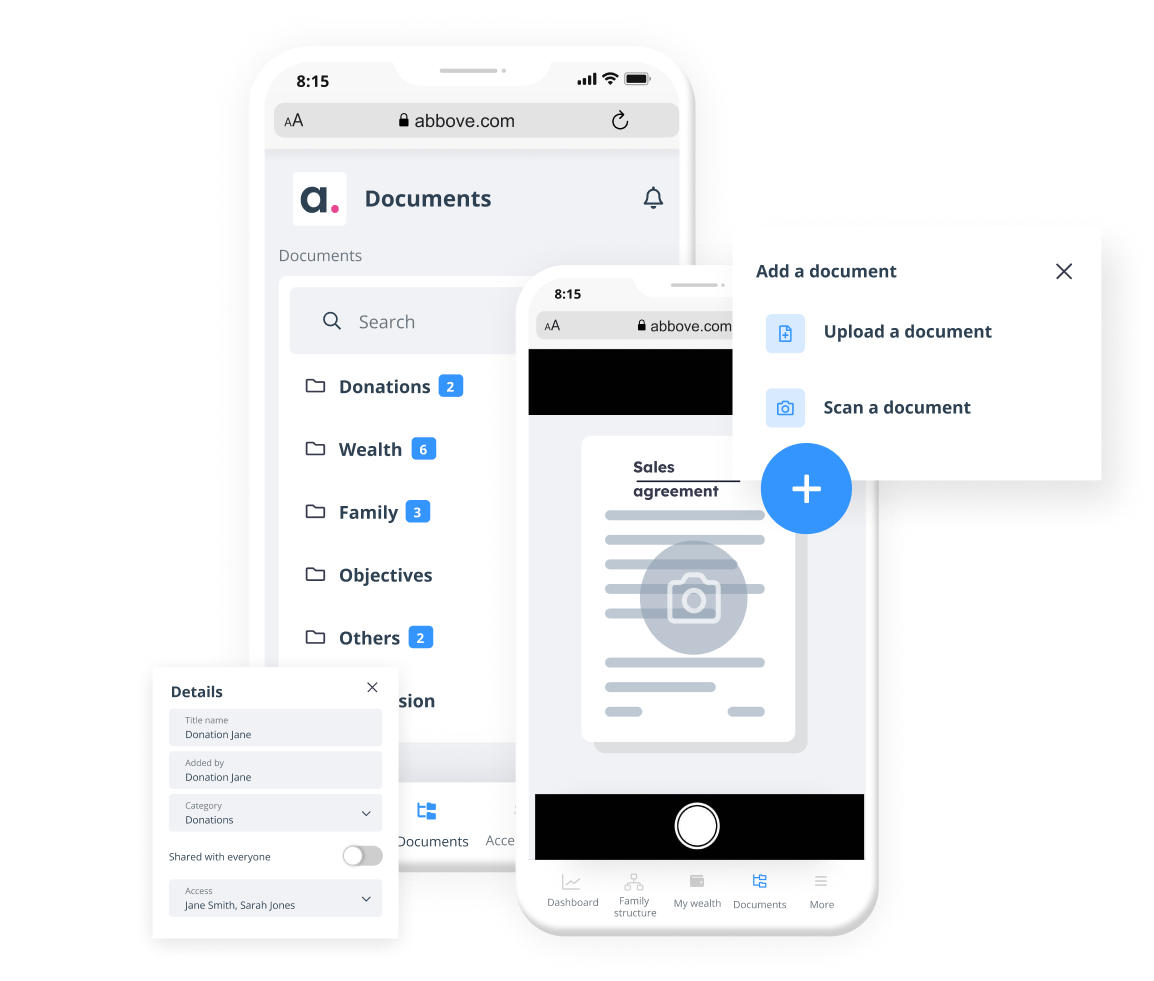
Documents captured on the go.
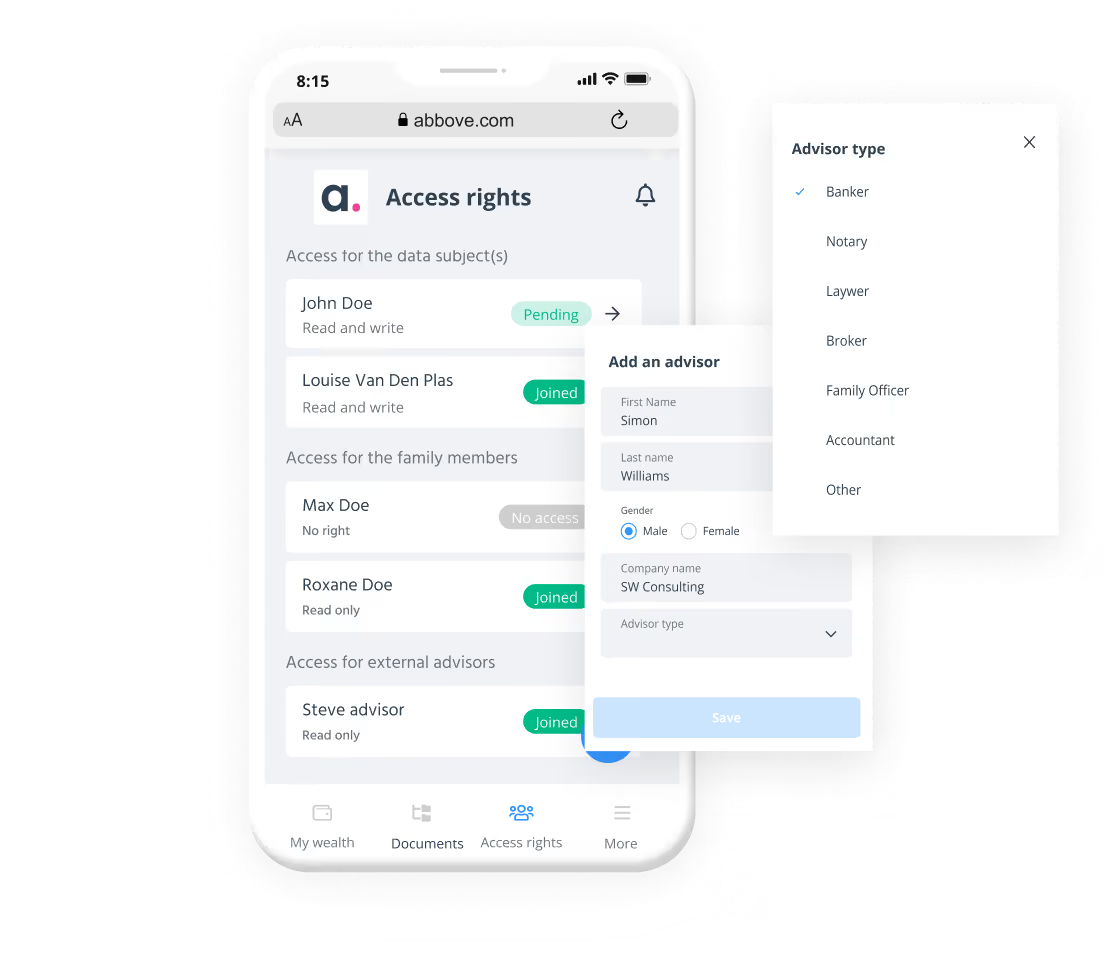
They decide who sees what.
Clients who understand their wealth have better conversations with you
Mia helps your clients make sense of a document, in plain language, wherever they are. They come to you with sharper questions and real context. Mia supports the understanding. You give the advice.
Mia assists, your advice decides
FAQ
The abbove wealth passport is offered to you by your wealth advisor. Several types of advisors offer our services to their clients: family offices, accountants, asset managers, tax lawyers, financial advisors or private banks. Contact us for a list of advisors who can offer you this service.
The mobile version of abbove is a simplified extension of the version accessible from your computer (desktop). This mobile version lives together with the desktop version. The two interfaces communicate with each other. If information changes in one place, it will change in the other.
The mobile version is designed to allow you to benefit from the advantages of the platform, such as easily adding documents with your smartphone camera when you're on the move. This mobile version will also allow you to enrich your wealth information in a simplified manner and communicate better with your advisor.
The mobile version of abbove is a simplified version of the interface accessible from your computer. It is designed to give you quick and easy access to your asset information, to allow you to easily add documents to your digital safe via your smartphone's camera, and to make it easy to share information with the people you trust.
The security level of the mobile version of abbove meets the same standards and banking requirements as the desktop version. Your data is fully encrypted both during transfer and at rest. Our company is ISO27001 certified and regularly undergoes penetration tests carried out by the best IT security companies.
Your information is accessible to you, your trusted advisor, and any other trusted person you designate. You will be able to choose the type of access you give them and will have a complete view of the activity related to your account (connexion, modification, addition, deletion of information, etc.).







Serving customers at every stage of their lives
Abbove is the only collaborative platform that enables proactive, ongoing wealth discussions with customers. Redress your relationships with your customers and offer solutions to all their wealth needs throughout their lives.

Understand the customer
Consolidate family, financial and asset information to properly assess the strength of the customer's assets.

Define objectives
Transformez les aspirations du client en missions de conseil et élaborez un plan d'action stratégique.

Recommend solutions
Use financial tools and tax simulators to propose optimal solutions tailored to the customer's needs.

Report & follow up
Implement recommended solutions, hold regular discussions and constantly monitor the customer's wealth situation.
Get a live demo
Interested in knowing more about Abbove? Leave your contact below and we’ll get in touch with you as soon as possible.
